Copy the YouTube Video URL
In the YouTube app, tap Share below a video or the share arrow beside a Short, then Copy link. On desktop, copy the address bar URL or click Share, then Copy.
Heard background music in a YouTube video or Short but can't find the song? Paste a YouTube video URL or Shorts link, or upload a video or audio file. Get the song title and artist, with Spotify or Apple Music links. Try one search for free, then purchase more as needed.
Your Song Result
Your song title, artist, artwork and listening links will appear here.
Find the song playing in a YouTube video or Short without searching through descriptions or comments. Just follow these three steps.
In the YouTube app, tap Share below a video or the share arrow beside a Short, then Copy link. On desktop, copy the address bar URL or click Share, then Copy.
Paste the URL into our YouTube song finder above and click Find Song. The tool analyzes the video's audio to identify the matching track.
See the song title and artist when a match is found, then open the track on Spotify or Apple Music using the available listening links.
The finder accepts links to a single YouTube video. These formats work:
youtube.com/watch?v=VIDEO_IDyoutu.be/VIDEO_IDyoutube.com/shorts/VIDEO_IDm.youtube.com/watch?v=VIDEO_IDyoutube.com/embed/VIDEO_IDmusic.youtube.com/watch?v=VIDEO_IDyoutube.com/watch?v=VIDEO_ID&t=95sYou can leave YouTube share parameters such as si=... or a list=... parameter on a watch link. The link must still point to one video.
Channel pages, playlist pages, search results and the YouTube home feed don't point to one video and can't be searched here.
Long videos can contain several songs. One search may show a main match and an alternative, but it doesn't generate a full tracklist. Add the moment you want to the link to guide the search.
On a computer, pause at the moment you want, right-click the video and choose Copy video URL at current time. Or click Share and select Start at before copying.
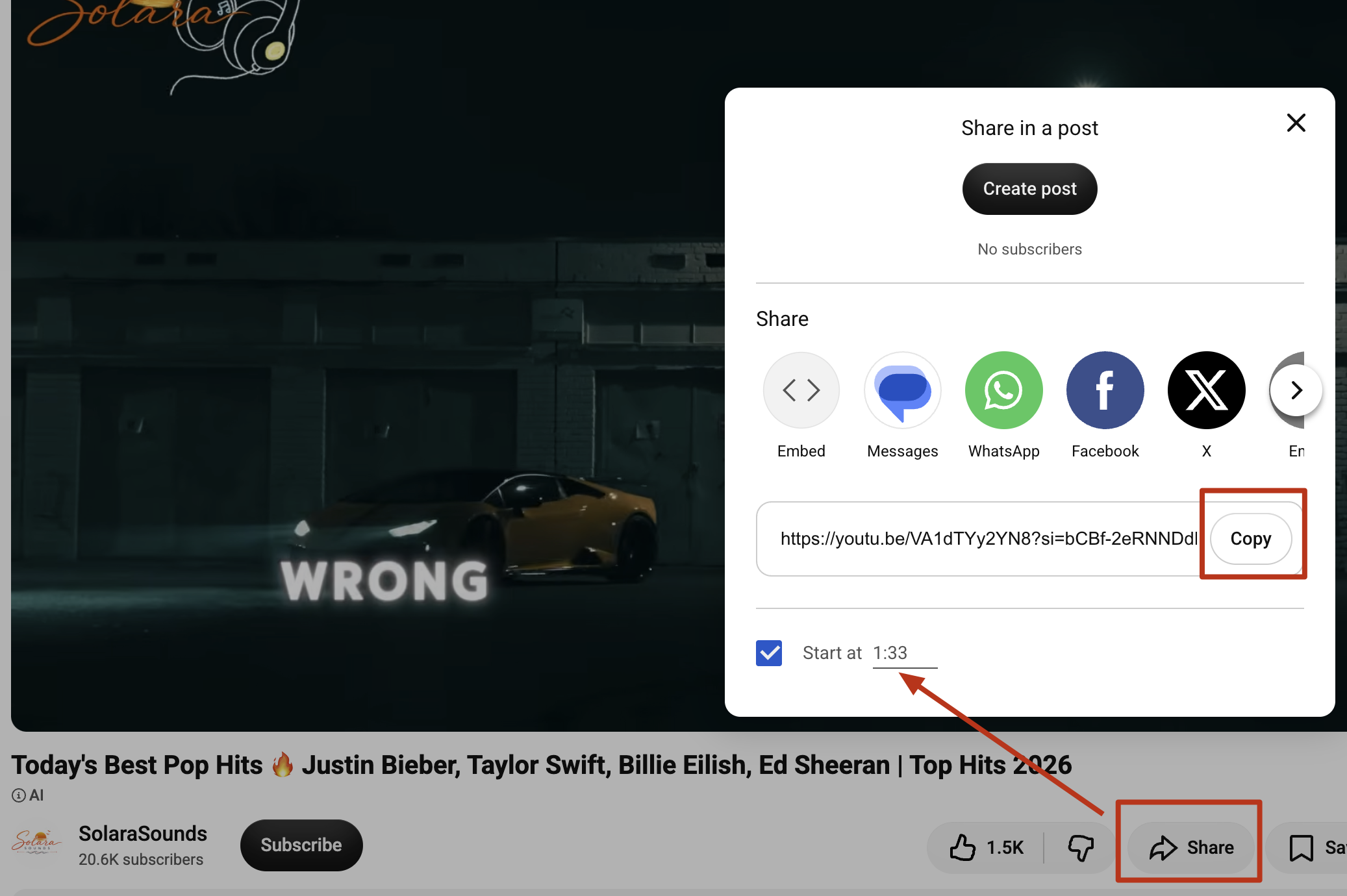
You can add the time yourself: use &t=125s on a watch link. For a youtu.be link, use ?t=125 if it has no parameters. If it already has a parameter such as ?si=..., add &t=125. A time such as 1m30s works too.
&t=125swatch URL?t=125youtu.be URLt=1m30sminutes + secondsExamples
https://www.youtube.com/watch?v=VIDEO_ID&t=125shttps://youtu.be/VIDEO_ID?t=1m30shttps://youtu.be/VIDEO_ID?si=SHARE_ID&t=125The finder uses the t= timestamp as the starting point for the audio it analyzes.
If the match is still from another part of the video, save only the section you want and upload it. MP3, M4A, WAV, MP4, MOV and WebM files up to 50 MB are supported.
YouTube often credits a video's music. Open the description and look for a Music section with the song and artist; Shorts usually show a sound name at the bottom.
These credits may still be missing or unclear:
YouTube hasn't matched the recording, so no song is listed.
A Short says Original sound and names the uploader rather than the song.
The description gives a vague credit without naming the song.
For a remix, sped-up or slowed version, try a section closer to the original speed or with a recognizable hook.
A match isn't guaranteed. Check the description too; music-library licenses often require a credit line.
Private, members-only and age-restricted videos may not be accessible. If the video is yours or you have a legitimate saved copy, upload the file instead.
Already have a clip saved but don't have the YouTube link? Upload a video or audio file to identify the music directly, without searching for the original URL.
Have a video clip saved on your device? Our YouTube video song finder analyzes its audio to look for the matching track, even when you no longer have the original video link.
Only have the audio? Upload the file directly to identify the song without knowing its lyrics or artist. Clearer recordings give the music identifier a better chance of finding a match.
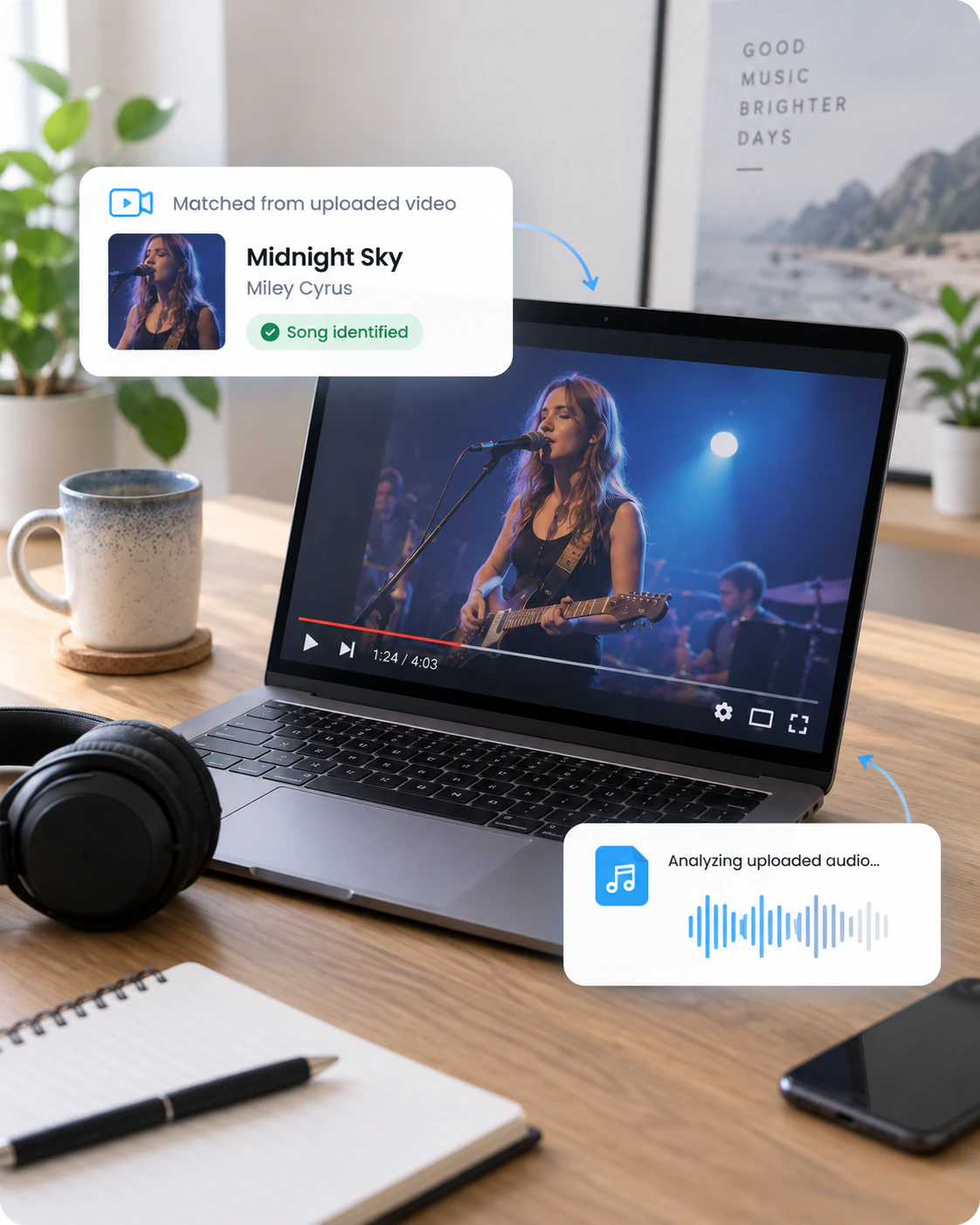
Not every YouTube video credits its soundtrack. Our YouTube background music identifier analyzes the audio to help you find the song, even without knowing the lyrics or artist.
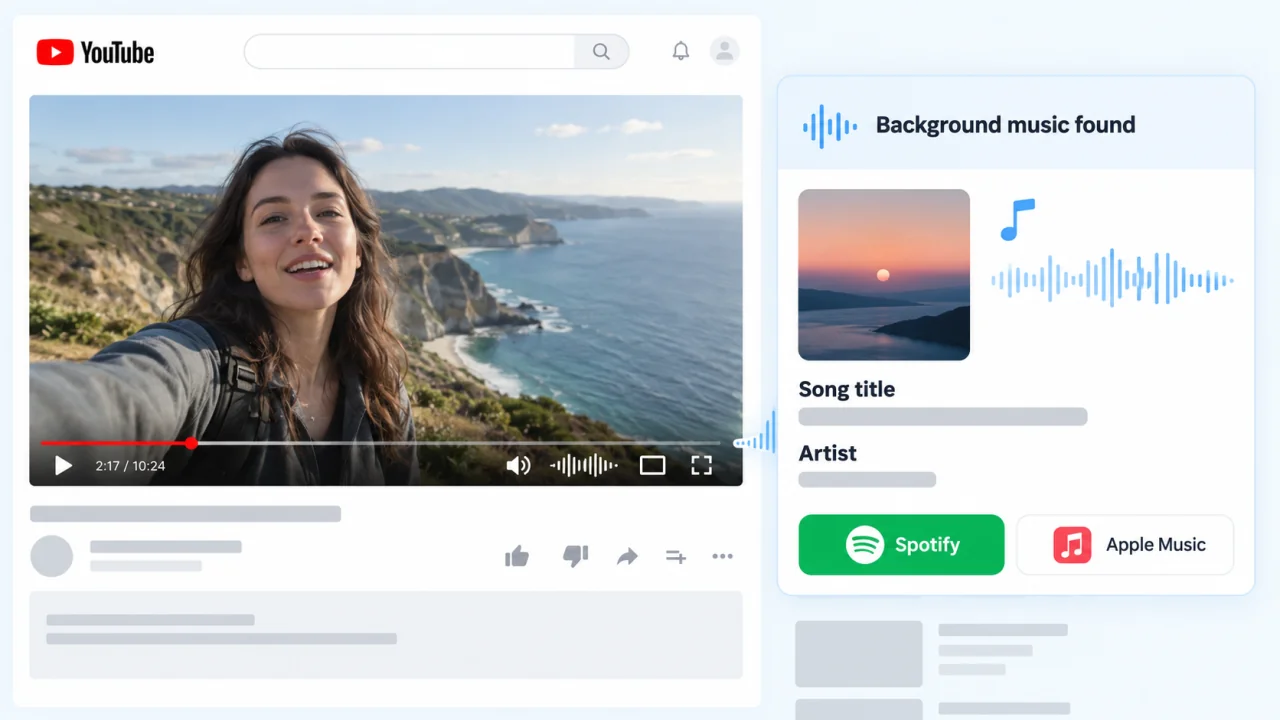
Travel vlogs, tutorials and reviews often leave background tracks unlisted. Find background music from a YouTube video link instead of searching through descriptions or comments.
Background tracks can be difficult to recognize when someone is speaking over them. If the music is clear enough, the tool can help identify the song despite narration or sound effects.
No lyrics to search for? Instrumental tracks can also be identified from their audio when a matching recording is available.
Music in YouTube Shorts often plays for just a few seconds, and the song credit isn't always visible. Our YouTube Shorts song identifier analyzes the audio from a Shorts link to help you find the track, even without knowing its lyrics or artist.

A successful match shows the song title and artist, along with album artwork and Spotify or Apple Music links when available. If your YouTube video contains multiple songs, compare the result with the track you wanted to identify.
Example Result

Raindance
Dave · The Boy Who Played the Harp
Use a link to a single YouTube video, including a watch link, youtu.be share link, Short or YouTube Music watch link. A watch link with a list= parameter works because it still points to one video; a playlist page or channel page doesn't. Videos that require special access may not be readable.
Not necessarily. A long YouTube video may contain several tracks, and one identification result isn't a complete soundtrack list. Compare the matched song with the part of the video you're interested in.
Check the video description and the "Music in this video" section when available. If the song isn't credited or the information is unclear, try identifying it from the video URL.
The video may be inaccessible, the music may be too quiet beneath speech, or the track may be heavily edited. Some recordings may not have a matching entry. Try an accessible link or a clearer audio clip.
The video may contain multiple songs, or the audio may be difficult to distinguish. Compare the result with the section you want to identify. If possible, try uploading a shorter, clearer clip.
Sign in and verify your email to get one free search. A completed search uses that search even when no song matches. Additional searches are available for purchase; a match includes song details and listening links when available.
Yes. youtube.com/shorts/... links work like standard watch links and youtu.be share links.
Yes. A t= timestamp sets where the finder starts analyzing the video's audio. If the result is from a different part of the video, upload a short clip of the section you want.
Yes. music.youtube.com/watch?v=... links work. YouTube Music playlist pages don't point to one video and aren't supported.
A video can play publicly in your browser while YouTube blocks automated access from our server. Private, members-only, age-restricted, removed or region-blocked videos may also be unreadable. If you have a legitimate saved copy, upload it instead.
From short clips to social media videos, our other song finders help you identify tracks across supported platforms.




Find the music behind a YouTube video or Short without searching through descriptions and comments. Paste the link into the tool above to get the song title, artist and listening links when a match is found.